

Audio Splitter
Split long MP3 recordings by silence — audio processing
happens in your browser.

Drop your MP3 here
- MP3 · 44.1kHz stereo
- Audio processing happens in your browser
- No account needed
Split result
Downloading multiple clips? Your browser may ask once for permission.
How it works
- 1
Choose your MP3
- 2
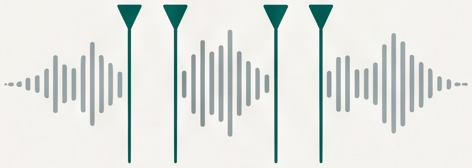
Silence points detected
automatically — see the split result - 3
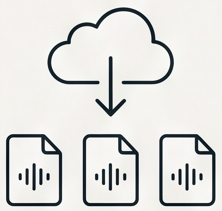
Download the clips

Known limits
- MP3 only — MPEG1 Layer III, 44.1kHz, stereo
- AAC, M4A and low-sample-rate encodings are not supported
- Neighboring clips repeat up to ~0.24s of audio (MP3 frames are not re-encoded)
- Very long files depend on your device memory
How are split points decided?
The tool scans your file for quiet passages (silence below −40 dB lasting at least one second) and cuts in the middle of each quiet gap. Clips shorter than three seconds are kept together with their neighbors.
Where does processing happen?
In your browser, using the Web Audio API. There is no account and no server-side step for your audio.
Why does each clip start with a bit of repeated audio?
To keep every MP3 frame untouched, each clip keeps a few extra frames before its split point — up to about a quarter second. The frames themselves are never re-encoded.
Which formats are supported?
MPEG1 Layer III MP3 at 44.1kHz, stereo, only. Other formats — including AAC/M4A and low-sample-rate MP3 — are rejected with a clear message.
What is Audio Merger?
Our sister tool at audiomerger.org — it joins audio files, the opposite of this splitter.